To recreate/copy a Quick Training:
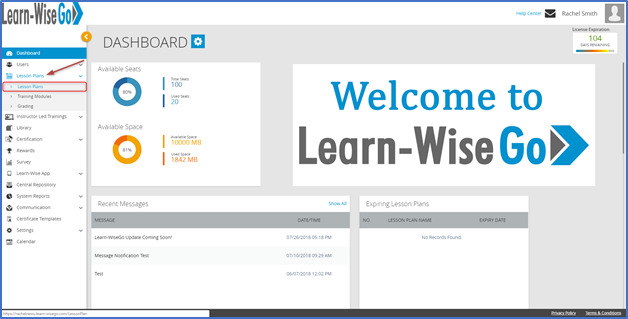
Select Lesson Plans < Lesson Plans
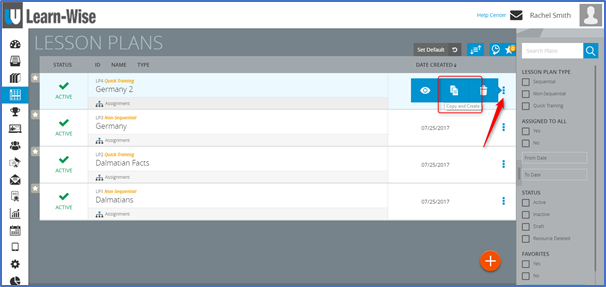
Click the  icon < Click “Copy and Create”
Select Parameters

- Keep the SCORM file already assigned.
NOTE: Only 1 SCORM file can be uploaded to a Quick Training at a time.
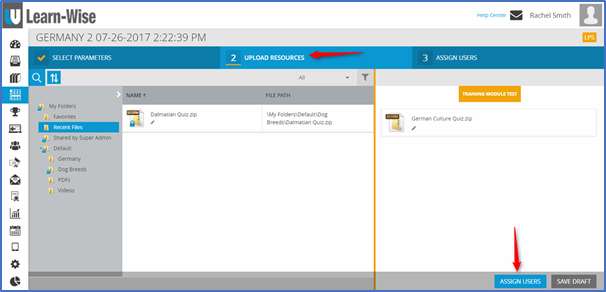
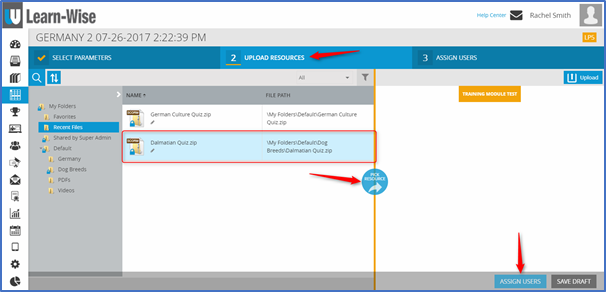
- Remove the SCORM file > Select file > Click
 > Click “Assign Users”
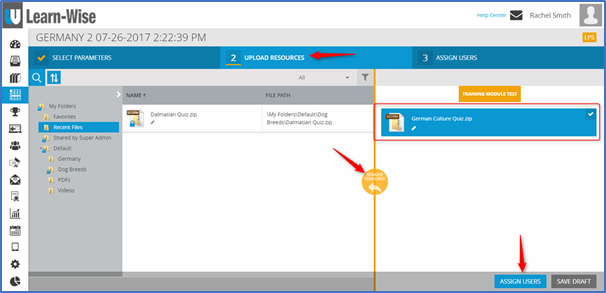
- Add new SCORM file > Select file > Click
 > Click “Assign Users”
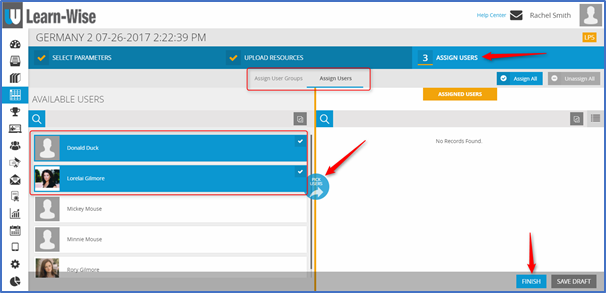
Assign the copy to User Groups or Individual Users < Select User Groups or Users > Click  > Click “Finish”
Comments
0 comments
Article is closed for comments.