To set the sequence of content in the library:
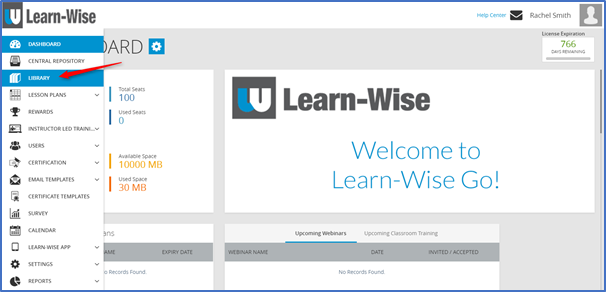
Select Library
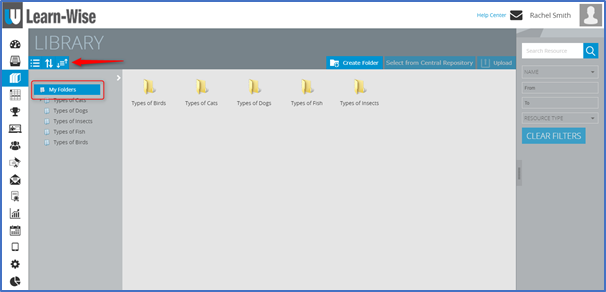
Click “My Folders” > Click Set Sequence icon 
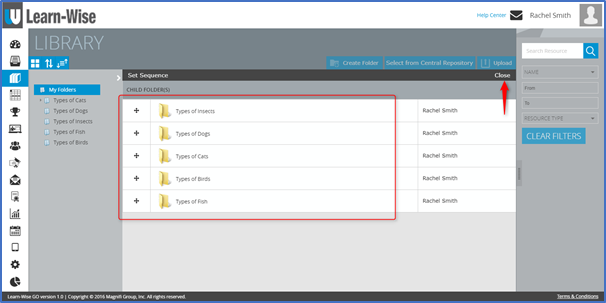
Drag and drop the folders to arrange them in the desired order > Click “close”
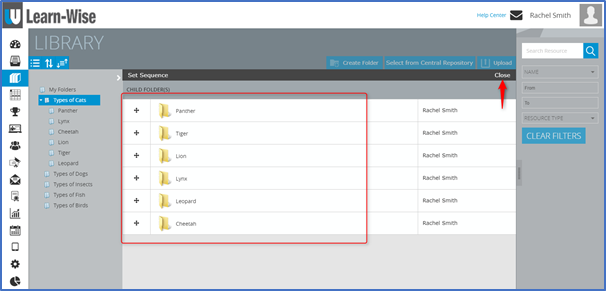
To set the sequence for sub folders:
Click any Main Folder > Click Set Sequence icon 

Drag and drop the sub folders to arrange them into the desired order > Click “close”
Comments
0 comments
Article is closed for comments.