To attach a Survey or Certification to an Instructor Led Training:
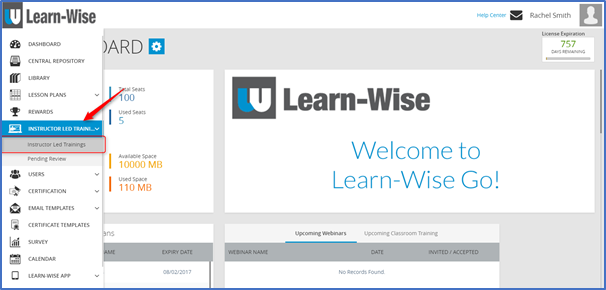
Select Instructor Led Trainings > Instructor Led Trainings
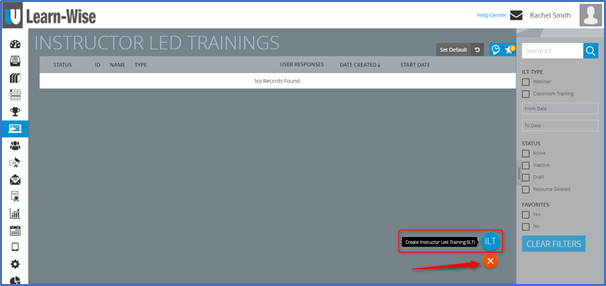
Click  > Click “Create Instructor Led Training”
To attach a survey:
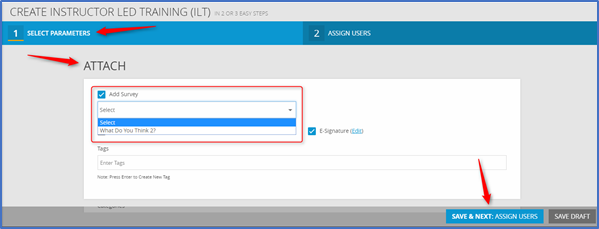
Under Attach > Tick Add Survey > Choose a survey from the drop down menu
NOTE: Only Linked Surveys will be available in the drop down menu. Standalone Surveys will not be accessible.
To attach a certificate:
Under Attach > Tick Attach Certificate > Choose a certificate from the drop down menu OR create a new certificate
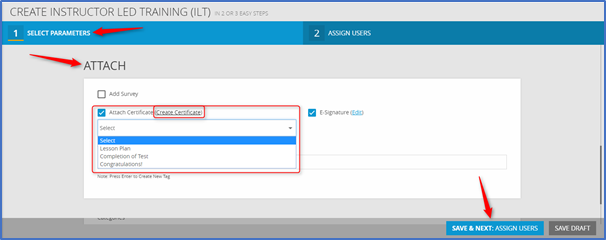
Finish selecting parameters > Click “Save & Next: Assign Users”
Comments
0 comments
Article is closed for comments.