It is important to customize the Support information. This area is where you communicate to your users who they should contact with questions. You can provide them with contact information (email) and a customized image.
To customize the Support Text:
Select Settings > Support
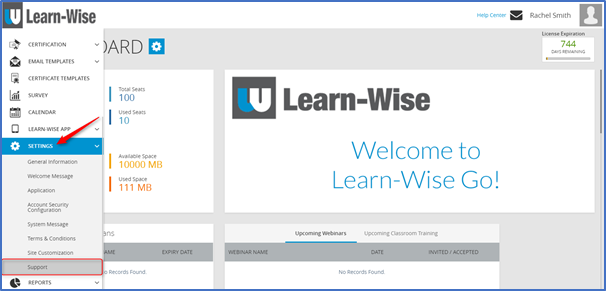
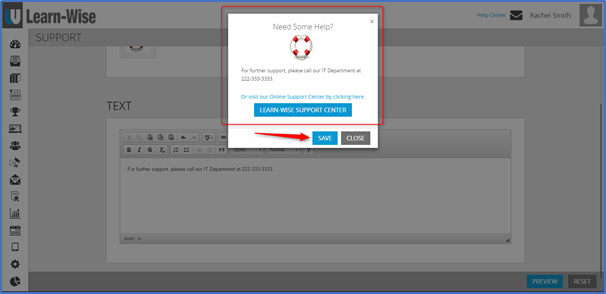
Type your text into the text box > Click “Preview”

When you are finished previewing your text > Click “Save”
To customize the support image:
Select Settings > Support
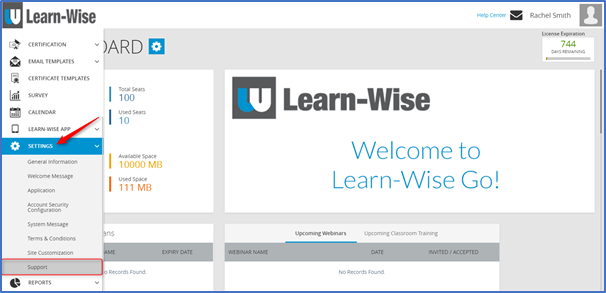
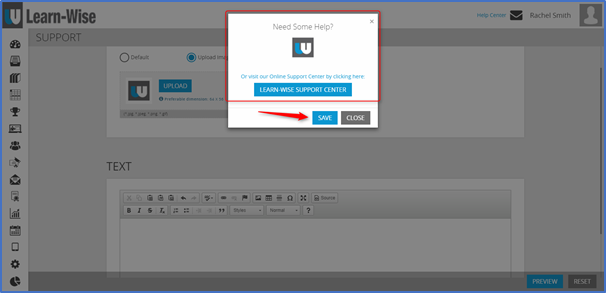
Tick “Upload Image” > Click Upload (to select an image from your computer) > Click “Preview”

NOTE: The preferable dimension for the support image is 64 x 56
When you are finished previewing your work > Click “Save”
Comments
0 comments
Article is closed for comments.